Getting Started
First Run
Start ToolTamer:
On first run, you'll be asked for a Git repository URL for your configuration. You have two options:
- Provide a URL — ToolTamer clones it into
~/.config/toolTamer/. - Press Enter — ToolTamer creates a default structure locally in
~/.config/toolTamer/.
If you create a fresh config, ToolTamer will offer to seed it with common config files (like .zshrc, .bashrc, etc.) based on what exists in your home directory.
The Interface
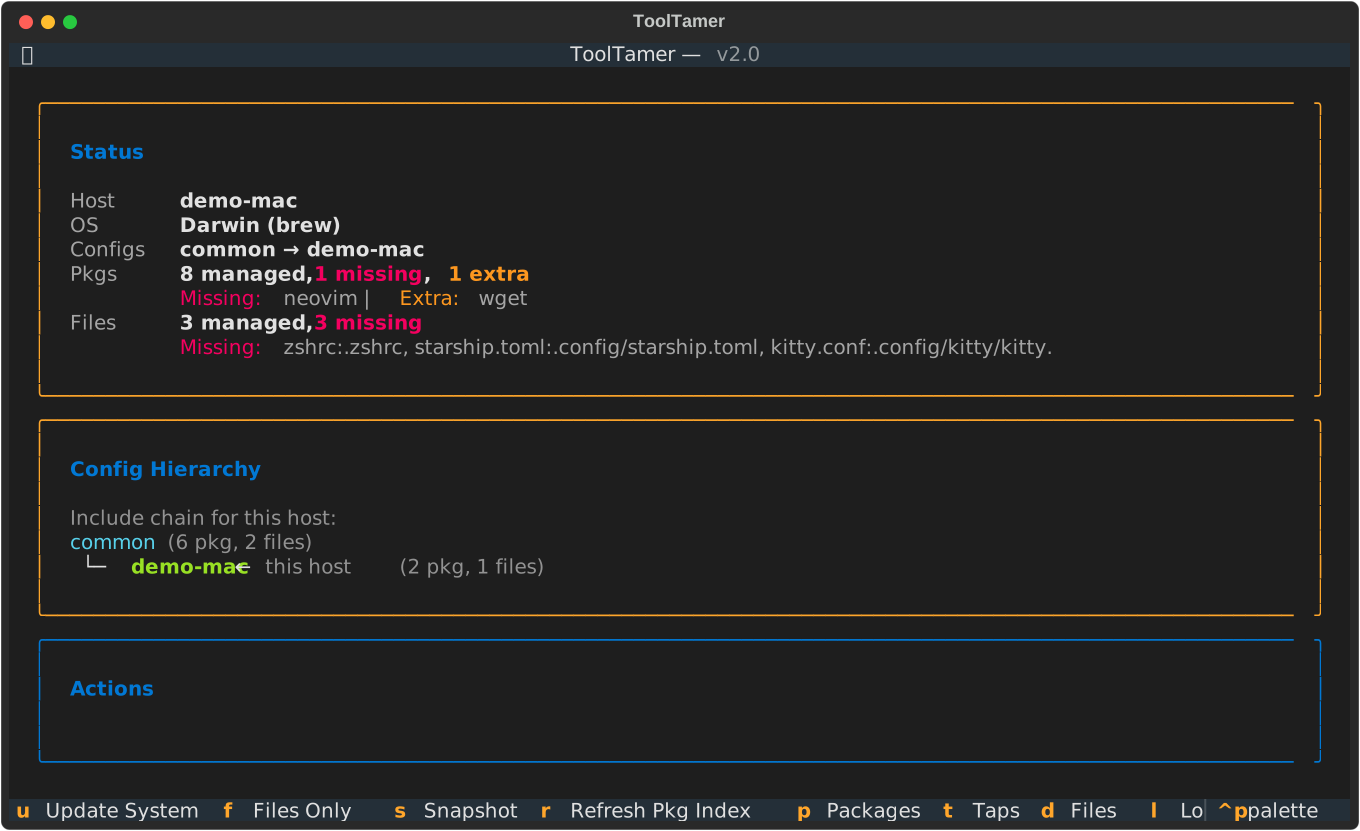
With Python 3.12+ available, tt opens a full-screen TUI (it sets up its
own virtualenv the first time, which takes a moment). The dashboard shows what
is out of sync on this machine, the config hierarchy in effect, and the
available actions:
From there you reach:
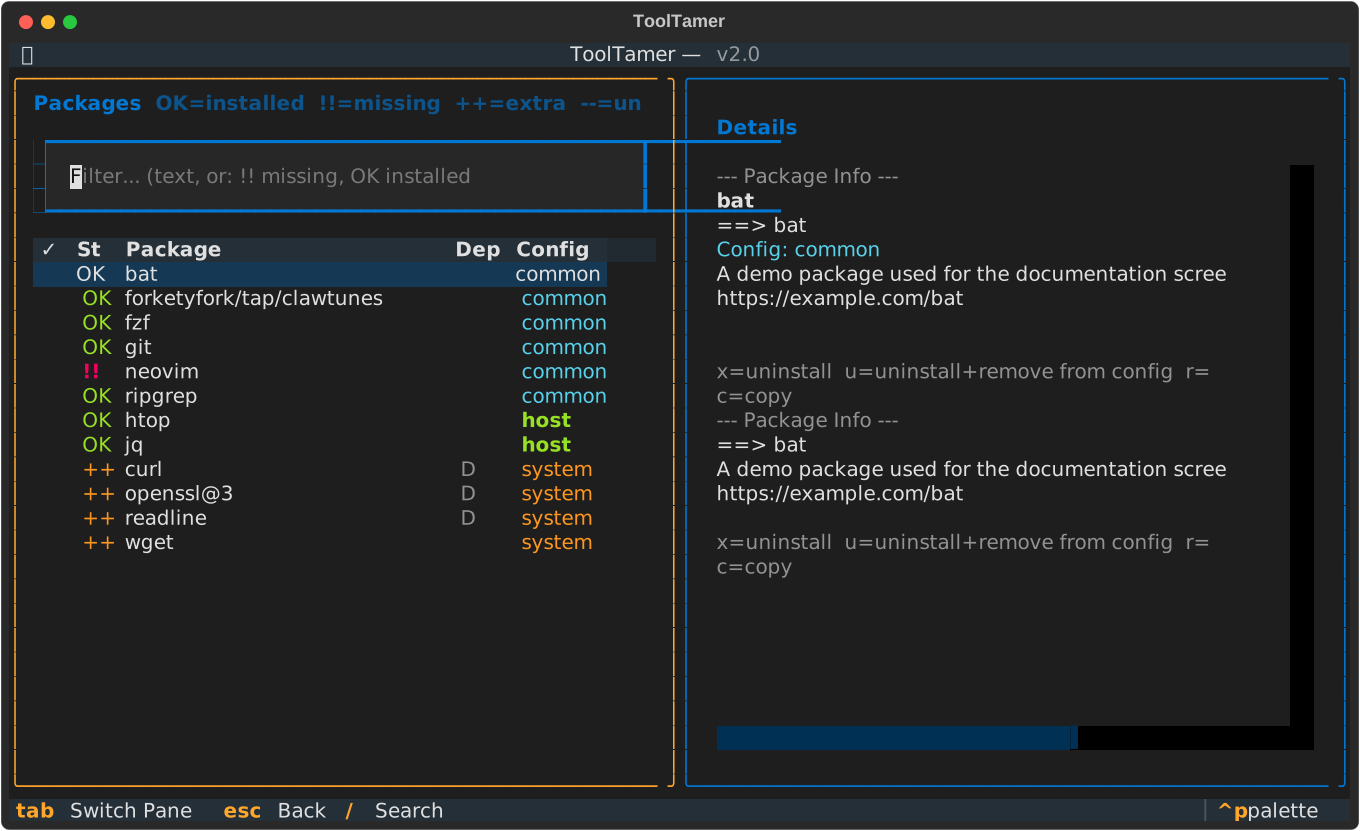
Packages — every package with its status: OK installed, !! missing,
++ installed but in no config, D needed by something else. Install and
uninstall inline, move packages between configs, or mark several rows with
Space and act on all of them at once. Uninstalls are checked against the
real dependency graph first, so removing something another package needs is
refused rather than attempted.
Files — tracked files with a diff against what's actually on disk, and a per-file choice of which version wins.
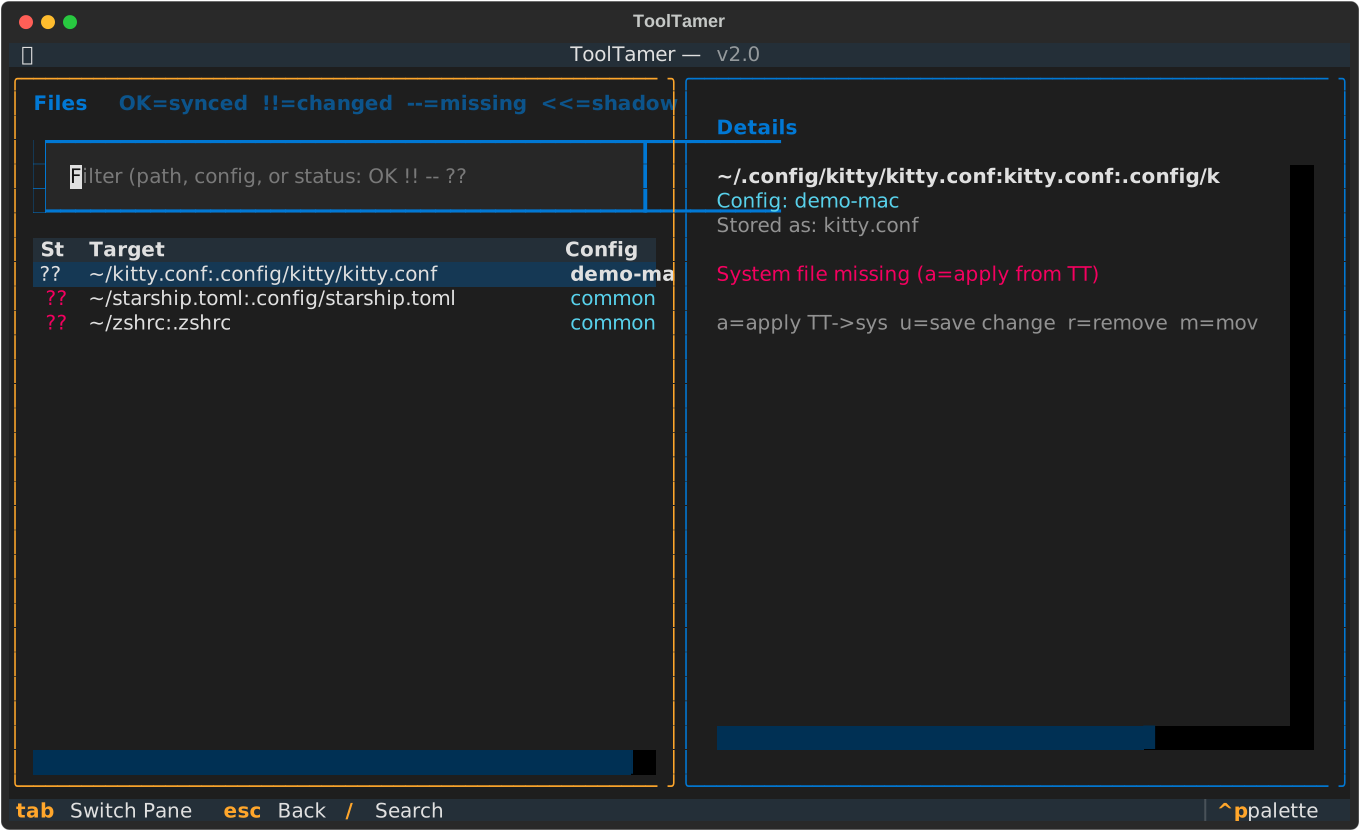
Every screen lists its keys in the footer. Everything is also available from the command line — see Command line.
What the actions do
The dashboard actions (and their command-line equivalents) are:
Update System
Applies your ToolTamer configuration to the current machine:
- Installs packages listed in
to_install.brew/to_install.apt/to_install.pacman - Removes packages that are installed but not in your config (dependencies are preserved)
- Syncs configuration files from ToolTamer to your home directory
- Runs
local_install.shscripts (if present)
Files Only
Same as above, but skips package management — only syncs configuration files.
Snapshot System
The reverse direction: captures your current system state into ToolTamer:
- Records all installed packages into the
to_install.*file - Copies current versions of configured files into ToolTamer
This is useful when you've set up a new machine manually and want to capture that state.
Command line
Everything can be driven without the interactive interface:
tt                    # interactive TUI
tt --syncSys          # full sync: packages, files, local_install.sh
tt --syncFilesOnly    # only files
tt --updateToolTamer  # snapshot installed packages into the config
tt --fix-taps         # qualify third-party-tap package names
tt --cleanup-deps     # drop packages only listed because something depends on them
tt -h
--fix-taps and --cleanup-deps only report what they would do; add
--apply to change your config, which asks for confirmation first. Both pass
any further arguments through, so tt --fix-taps --help shows their own
options.
Typical Workflow
-
Set up your first machine:
- Install ToolTamer
- Run
tt, let it create a default config - Customize your package list and add config files
- Use "Snapshot System" to capture your setup
-
Push your config:
- Open Admin → Git view (lazygit) to commit and push
-
Set up another machine:
- Install ToolTamer
- Run
tt, provide your Git repo URL - Use "Update System" to apply the config
-
Ongoing sync:
- Make changes on any machine
- Snapshot → commit → push
- Pull → Update System on other machines