ToolTamer
Cross-platform system configuration and package synchronization.
ToolTamer automates installation, synchronization, and cleanup of tools and configuration files across multiple systems. It uses your existing package manager — Homebrew on macOS, apt or pacman on Linux — and stores everything in a Git-backed configuration repository. A Bash engine does the syncing; an interactive TUI (Python/Textual) sits on top, both reachable through the single tt command.
Why ToolTamer?
Managing dotfiles across machines is a solved problem — until you also need to keep your installed packages in sync. Most solutions handle only one side:
- Dotfile managers (chezmoi, stow, yadm) sync config files but don't manage packages.
- Nix/Home Manager does both but is slow, hard to maintain, and breaks after macOS updates when combined with nix-darwin.
ToolTamer handles both: it installs missing packages, removes unlisted ones, and synchronizes your configuration files — all driven by simple text files in a Git repo.
Key Features
- Automated package management — installs missing tools, removes unlisted ones to prevent system clutter.
- Configuration file sync — manages dotfiles and config files using SHA256 checksum comparison.
- Cross-platform — works on macOS (Homebrew), Linux (apt, pacman).
- Hierarchical configuration — common base config inherited by all hosts, with host-specific overrides.
- Git-backed — your entire configuration lives in a Git repo, shareable across machines.
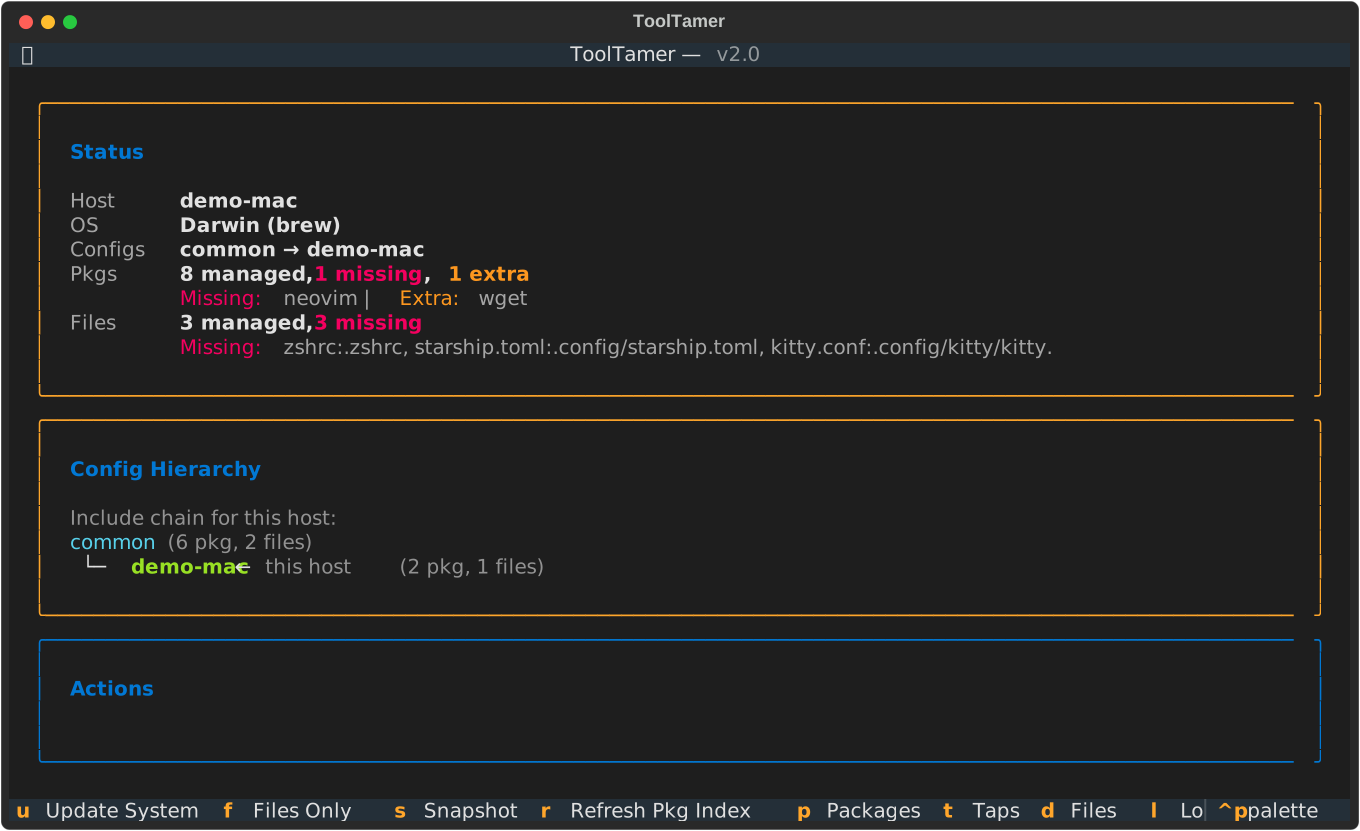
- Interactive TUI — full-screen package and file browser with diffs, bulk actions and inline install/uninstall; falls back to fzf-powered or numbered menus when Python 3.12+ isn't available.
- Dependency-aware — won't uninstall a package another installed package still needs. The check queries the package manager for real (no name guessing) and is cached, so repeated runs stay fast.
- Tap-aware — Homebrew packages from third-party taps are stored fully qualified, so they install on a fresh machine without adding the tap first.
Quick Overview
~/.config/toolTamer/configs/
├── common/          # Shared across all machines
├── common_mac/      # macOS-specific base
└── myMacBook/       # Host-specific config
    ├── includes.conf
    ├── to_install.brew
    ├── files.conf
    └── files/
Run tt to get an interactive menu, or use CLI flags for automation:
Getting Started
Head to Installation to set up ToolTamer, then follow the Getting Started guide for your first sync.